
Track who is in, out, or still deciding
Organize team games without the admin chaos
The easiest way to run football nights and recurring team games.
Track who can play, split teams, send event notifications, and keep the whole group updated before kickoff and while the game is live.
Split teams before kickoff and share the final lineup
Push reminders, live updates, and leaderboards to the whole group
How it works
Built for organizing team games end to end
Participant tracking that stays clear
Every player sees whether they are in, out, maybe, or on the waitlist, so organizers stop chasing replies.
Fast team split and event setup
Create the match, lock the roster, and publish balanced teams without moving into separate chats or notes.
Notifications, leaderboards, and live activity
The whole group gets reminders, status changes, live updates, and rankings even when some members are not playing that day.
From the invite to the final whistle
One event flow for everyone around the game.
Organizers stop chasing replies. Players know if they are in. The group sees teams, reminders, last-minute changes, and live updates in one place.
Participants and availability
- Confirmed, maybe, and out in one roster
- Waitlist when the game fills
- Share the final teams instantly
Event communication
- Announcements and reminders
- Threaded event decisions
- Last-minute lineup changes
See the app in action
Screens that help a group move from planning to kickoff.
The strongest moments in the product are practical: seeing who can play, locking teams, and keeping everyone updated even if they are not on the pitch.
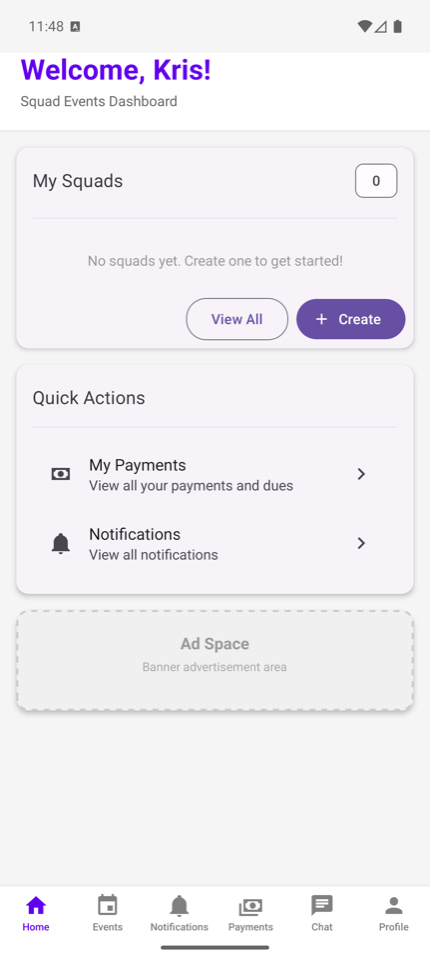
Next game and roster
Open the app and immediately see the next event, squad activity, and who is already available.
Team split that everyone sees
Build the sides before kickoff and keep the final split visible to everyone in the event.
Live updates for the full group
Send reminders, live changes, and leaderboard movement to the whole group, not only to the players on the field.
Useful for every role around the match
Organizers
Create the event, see availability fast, split teams, and keep the whole game night under control.
Captains
Adjust lineups, keep the group aligned, and use live updates to keep the event moving without confusion.
Entire group
Even members who do not play can follow the event, the teams, the live updates, and the leaderboard in one place.
How a weekly game runs in Squad Events
1. Create the game
Set the time, place, limits, and key details once, then invite the group into a single event flow.
2. Track availability and lock teams
Watch the roster fill up, split teams when ready, and keep the final setup visible to everyone.
3. Push live updates, results, and rankings
Keep the group informed with notifications, live activity, and leaderboard changes after the game starts.
Public trust before public launch
Before the apps go live, the website already carries the public pages stores and users expect: privacy, terms, support, retention, and account deletion instructions.
- Public privacy, terms, support, and retention URLs
- Public deletion page that matches the in-app delete entry point
- Clear support route before install
Frequently asked questions
Can people follow updates even if they are not playing?
Yes. Event notifications, live activity, and leaderboard changes can be visible to the full group, not only to the participants.
Can we split teams and share the final lineup inside the event?
Yes. The event flow is built to track participants first and then keep the final team split visible to everyone involved.
Does this work for recurring weekly games?
Yes. The product is designed for the same game loop teams repeat every week: setup, attendance, teams, notifications, live updates, and follow-up.
Launching on iOS and Android
Direct store links will go live with release. Until then, this site already provides the product overview, support route, and public legal pages the launch requires.
Thursday night football
24 players in group, 14 confirmed, 2 teams ready
Live updates for the full group
Players in14
Teams2
Alerts6